

Frequently Asked Questions (FAQ)
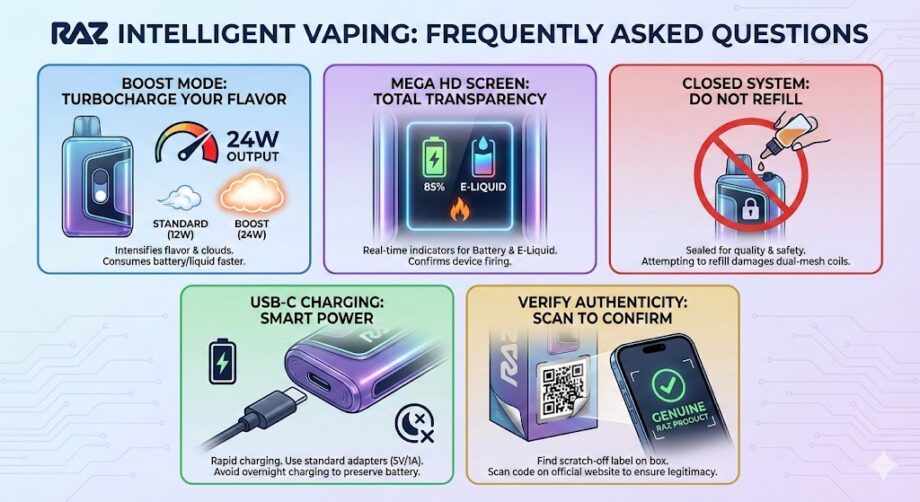
Q: How does the “Boost Mode” actually affect my device? A: Think of Boost Mode as a turbocharger for your flavor. When you activate it, the device increases the wattage output from the standard 12W to 24W. This delivers a warmer, denser cloud and intensifies the flavor profile immediately. However, because you are using more power, using Boost Mode exclusively will consume both your battery and e-liquid faster than the standard mode.
Q: What do the animations on the Mega HD Screen indicate? A: Our screens are designed for total transparency. You will see distinct indicators for both Battery Life (usually a percentage or bar) and E-Liquid Level (a droplet icon). If you see a “recharge” symbol or a red battery icon, it’s time to plug in. The fire or animation effects are there to confirm the device is firing correctly and to visually represent the mode you are currently using.
Q: Can I refill my Raz device once the e-liquid reaches 0%? A: No. To ensure the highest quality of flavor and safety, Raz devices are designed as closed systems. Refilling them would compromise the integrity of the dual-mesh coils and could lead to leakage or device failure. Once the e-liquid indicator hits empty and the flavor fades, the device has completed its lifecycle and should be recycled.
Q: My device has a USB-C port. Does it support fast charging? A: Yes, Raz devices are equipped with USB-C ports for rapid and convenient charging. However, to preserve the long-term health of the internal battery, we recommend using a standard charging block and cable. Avoid leaving the device plugged in overnight to prevent overcharging.
Q: How do I verify that my Raz device is authentic? A: Authenticity is critical to your safety. Every genuine Raz box features a scratch-off authentication label with a unique QR code. You can scan this code or enter the serial number directly on our official website to verify that you have purchased a legitimate Raz product.
Troubleshooting Your Raz Device
Even with our rigorous quality control, technology can sometimes be unpredictable. If your Raz device isn’t performing as expected, try these manufacturer-approved steps to resolve the issue.
1. The Device Isn’t “Firing” (No Vapor)
If you are inhaling but getting no vapor or light activation:
- Check the Sticker: It sounds simple, but ensure the protective sticker has been completely removed from the bottom airflow holes. Even a small remnant can block the sensor.
- Clear the Airflow: Inspect the mouthpiece and the bottom airflow intake for lint or debris. A quick, sharp blow into the bottom of the device can sometimes dislodge dust that is blocking the auto-draw sensor.
- Charge It: The screen might still have enough power to light up, but not enough voltage to fire the coil. Give it a 20-minute charge and try again.
2. The Device Won’t Charge
- Cable Check: We use high-quality USB-C ports, but not all cables are created equal. Try a different cable and block, specifically one you know works on other devices.
- The “Lint” Trap: If you carry your Raz in your pocket, lint can pack into the charging port. Use a non-conductive tool (like a toothpick) to gently sweep out the port.
- Avoid High-Voltage Chargers: Fast chargers for laptops (like 65W+ blocks) can sometimes trigger the device’s safety over-current protection. Stick to standard 5V/1A wall adapters or computer USB ports.
3. The Flavor Tastes “Burnt” or “Dry”
- Pacing Matters: If you are chain-vaping (taking multiple puffs in rapid succession), the wick inside the coil may dry out faster than it can re-saturate. Set the device down for 60 seconds to let the e-liquid soak back into the mesh coil.
- Check the Screen: Look at your E-Liquid Indicator. If the droplet icon is flashing or empty, the device is out of liquid. Continuing to vape at this point will burn the cotton. This is the end of the device’s life.
4. Leaking or Gurgling Sounds
- Ease Up on the Draw: Pulling too hard can force excess e-liquid into the airflow chamber before it vaporizes, causing a “gurgling” sound. Try softer, longer draws.
- Clear the Chamber: If it is gurgling, flick the device firmly downward (into a paper towel) to expel the excess condensation from the mouthpiece.
